Setup SQL Server 2012 and Adventure Works cube with Visual Studio 2010
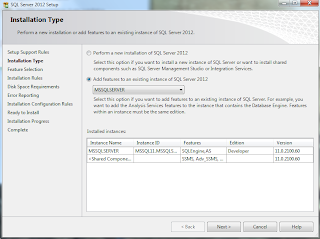
This tutorial will show you how to deploy a cube onto SQL Server 2012 using VS2010 and might help you avoid some of the problems I've encountered. It is complementary with Multidimensional Modeling (Adventure Works Tutorial) and uses its Adventure Works db and cube project. While this states that it is not possible to deploy a cube using Visual Studio it is no longer the case with SQL Server 2012. Prequisites Visual Studio 2010 disc or image Installed Visual Studio 2010 SQL Server 2012 disc or image Service Pack 1 for VS2010 due to this Installing SQL Server 2012 or adding required features Note: Running VS2010 during the installation might cause errors so close it. Run SQL Server Setup by selecting New SQL Server stand-alone installation or add features to an existing installation from Installation tab of the SQL Server Installation Center. Move through the process up to Installation Type . If you already have an installed SQL Server you would...